Field service app: Synoptic ERP launches its tool for technicians
The Synoptic ERP field service app gives your technicians their schedule, their checklists and the customer's signature from a simple web browser. Available as an option, it stays synchronised with the After-Sales Service module at all times: every action carried out in the field is reflected immediately in the ERP.
Intervention tracking leaves the office and joins your technicians in the field
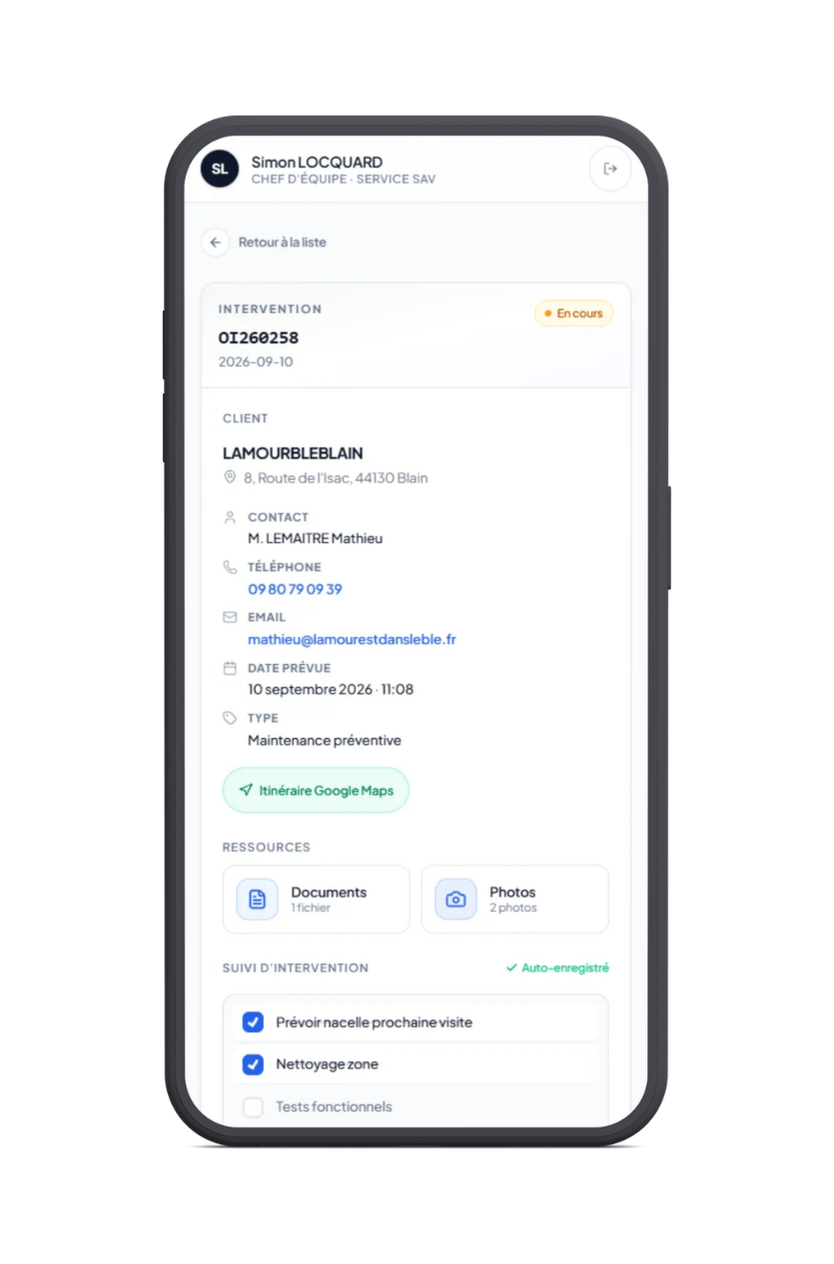 Enlarge
The intervention sheet, on site
Enlarge
The intervention sheet, on site
Click a screenshot to enlarge it.
Until the intervention report reaches the after-sales department, the back office has no precise view of where the work stands, and the customer report is on hold.
The Synoptic ERP After-Sales Service module now extends into a field service app dedicated to on-site teams, available as an option. Technicians find their schedule, record their intervention and close it in front of the customer, all from a simple web browser.
Close
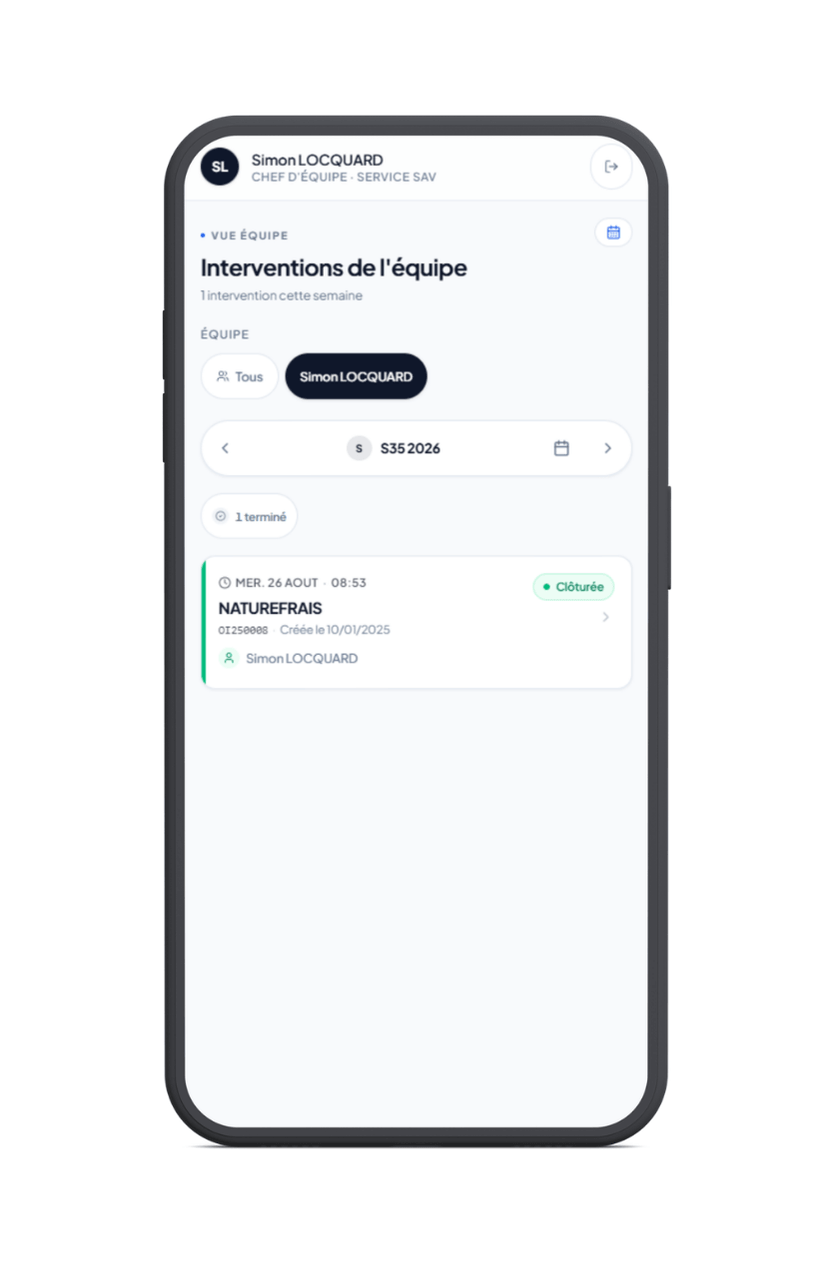 Close
Close
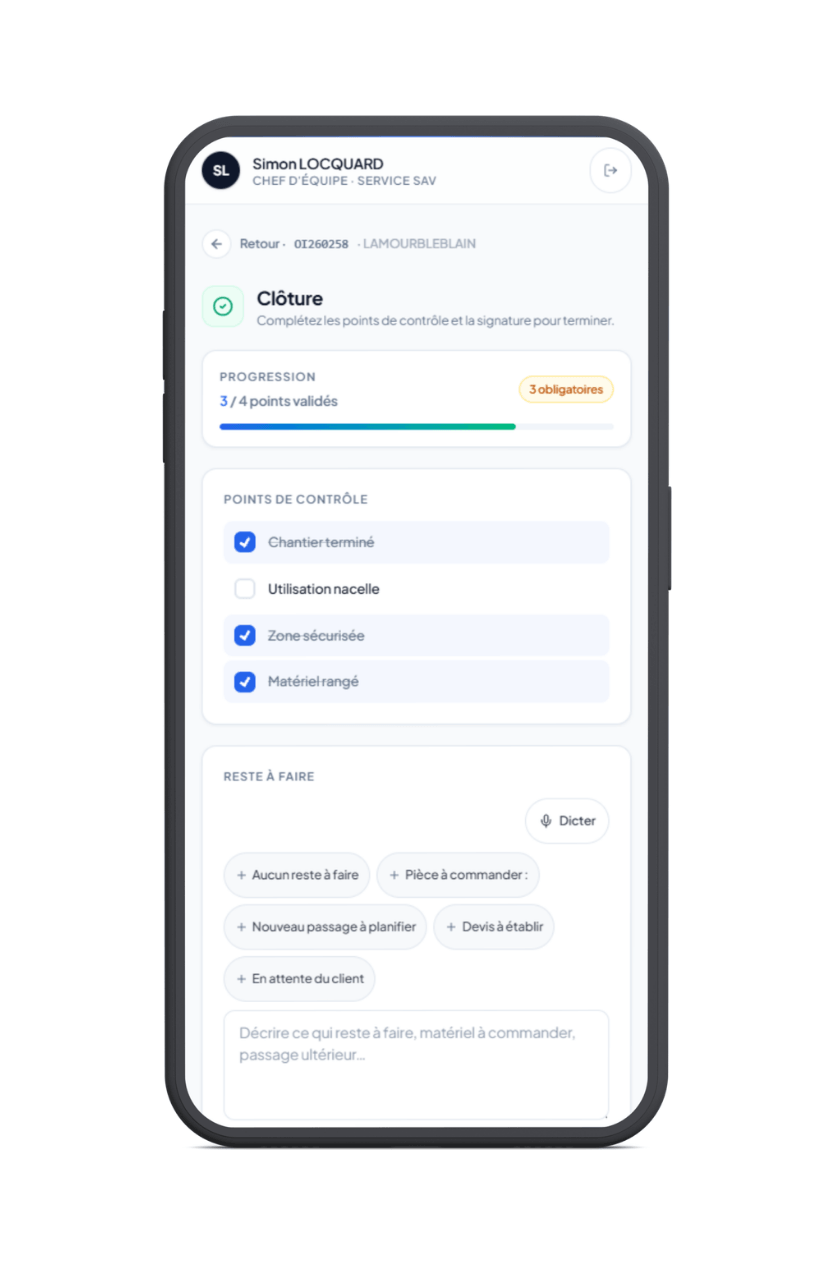
In a nutshell: Synoptic ERP offers an optional field service app for after-sales and worksite interventions. Technicians use it to check their schedule, record their intervention and close it in front of the customer from a web browser, with every action reflected immediately in the ERP.
1. What a field service app changes for your on-site teams
The After-Sales & Worksite web app is an extension of the Synoptic ERP After-Sales Service module: it does not duplicate data, it gives access to the same information from the place where the intervention happens. The guiding principle is simplicity. Features have been limited to what a technician needs on site, so that everything can be done with a fingertip.
Five things that change day to day
Worth knowing: the app works online only. A network connection is required during the intervention. This is the deliberate trade-off for instant synchronisation, and it is worth checking on rounds that cross areas with poor coverage.
2. From schedule to closing: the journey of an intervention
An intervention starts in one of two ways: a scheduled preventive maintenance visit, or a ticket opened at the customer's request. In both cases, the back office prepares, the technician carries out and records the work, and the information flows back.
The four steps for the technician
Nothing to confirm at the end: every tick and every comment is saved as you go. An intervention that is interrupted and then resumed keeps everything already recorded.
3. Field app or customer portal: two tools, two audiences
Synoptic ERP also offers an after-sales portal open to your customers. From a distance the two tools look alike, but they meet different needs, so it is best to make the distinction clear from the start.
4. Questions to ask before rolling it out
Roll-out is light, since there is nothing to install. Three points, however, should be settled before the first equipped round.
Three questions to settle beforehand
FAQ: the After-Sales & Worksite web app
What is the Synoptic ERP After-Sales & Worksite web app?
Does the app need to be installed on smartphones?
Does the app work without a network connection?
What is the difference between the After-Sales & Worksite app and the after-sales customer portal?
Can technicians delete the documents and photos attached to an intervention?
How is an intervention closed in the field?
Is the app included in the Synoptic ERP After-Sales Service module?
Further reading
To conclude: after-sales service happens as much in the field as in the office
The quality of an after-sales service is measured in two places: how quickly requests are handled, and how accurately the report that goes back to the customer reflects the work. The first depends on the back office and the ticketing tool. The second is decided on site, when the technician packs up their tools.
Proges Plus has been a software publisher and integrator for forty years, serving SMEs and mid-sized companies. The After-Sales & Worksite web app follows the same logic: a single source of truth, filled in where the information originates.