
Signs and signage
Signs and signage ERP for SMEs
For more than 40 years, Synoptic ERP has grown alongside sign and signage specialists: illuminated signs, signage, custom lighting, vehicle graphics, and more.
- Illuminated signs
- Signage
- Custom lighting
- Vehicle graphics
- On-site installation
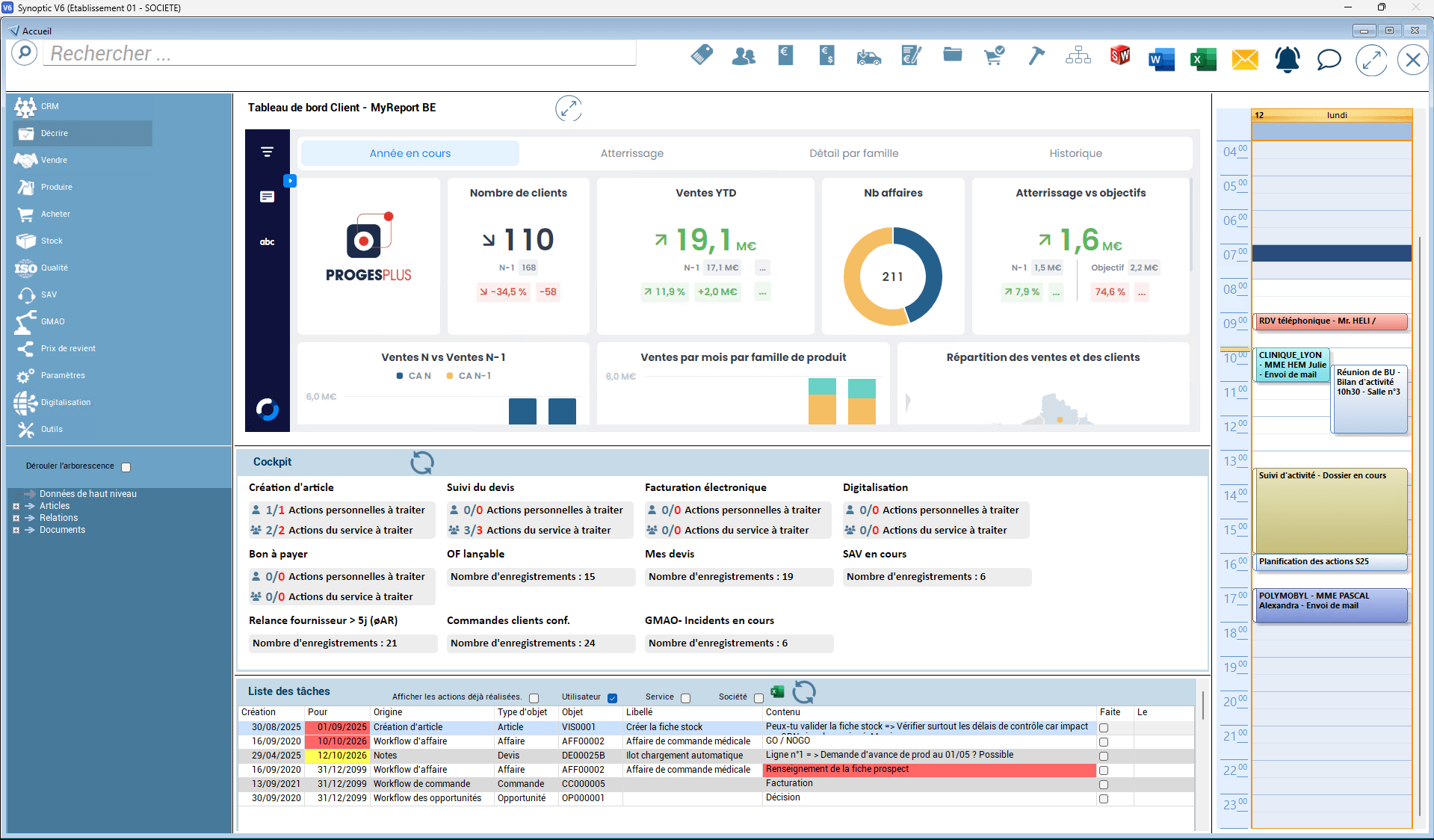
Synoptic ERP supports sign makers
Whether your business is designing signs, subcontracting and installing signage or applying vehicle graphics, the requirements for managing technical quotes, customer feedback and installation feedback are the same: whatever your trade, Synoptic ERP adapts entirely to the way you work.
Unlike generic ERPs, Synoptic ERP stands out for its flexibility and modularity.
Your illuminated signs, signage and custom lighting are displayed on the storefronts of shopping centers, corporate headquarters and shops. You therefore want an ERP that helps you ensure customer satisfaction, in particular by managing your job sites as efficiently as possible: traceability of trucks, tools, installation work and more.
Being a sign maker today means working in a hyper-competitive field where meeting deadlines is paramount: working with key accounts in particular requires you to be as responsive as possible when answering invitations to tender, while managing contract prices as well as possible. In this context full of unforeseen events, you must produce within the required deadlines, deliver quality manufacturing and protect the margins initially planned.
Your business is unique? So are our answers
As a sign professional, you need to manage technical quotes efficiently to obtain reliable and accurate costing, while effectively monitoring installation operations and field teams.
Manage and cost your projects
- Manage and cost your projects with technical quotes and a powerful CRM.
- Use template costings to quickly put together a proposal tailored to your customer’s needs.
- Enter material requirements by dimensions.
- Connect with the design office (CAD) to cost the sign.
- Check costings against changes in raw material prices.
Plan every aspect of your business
- Track ongoing internal actions at a glance with the workflow.
- Manage your subcontracting.
- Monitor your suppliers’ activity and lead times.
- Control your manufacturing lead times.
- Plan the use of lifting equipment (booking cranes, aerial work platforms, elevating machines, etc.).
- Export the pick list of tools and materials needed for installation on D-day.
- Plan the organization of your installation teams.
- Send documents to your field teams via a mobile app (weekly route sheets, lifting equipment orders, etc.).
Check your workflow
- Monitor and control your activity: initial order, manufacturing, subcontracting, invoicing, after-sales service.
- Track the progress of installations on a job site: being installed, installed, etc.
- Link your workflow to the planning module for overall project tracking.
- Set up alerts to keep your customers informed of the progress of their project.
- Ensure smooth communication between departments with the workflow: installation tracking for the sales department, subcontracting order notifications, customer postponements for production, etc.
Signs and signage: your needs, our answers
As a sign specialist, your challenges are many and complex, whether your products are intended for retail chains, hotels, restaurants, local shops, etc. Synoptic ERP supports every stage of your work, from costing to installation, to meet the specific challenges of your field. It offers multi-language, multi-site and multi-location management.
Discover Synoptic ERP
Our industry experts and ERP specialists are available to answer all your questions. Would you like to schedule a demo? Get in touch!


Modules designed for your business
Sales management
Cost your jobs with technical quotes and the technical and item configurator, manage your standard quotes, issue quotes, orders, delivery notes and invoices in several languages and enter specific invoicing terms.
After-sales service
Optimize your after-sales service with automatic invoicing and ticket management. Create and invoice your interventions, manage your maintenance contracts and their automatic invoicing.
Installation management
Manage every aspect of installation, from ordering the equipment in advance to installation on D-day.
Design office
Make your design office’s work easier by retrieving sales comments through technical quotes, and choose whether or not to pass information on via MRP.
Production
Before, during or after manufacturing, check your products at any time against defined criteria. Anticipate shortages, plan or schedule your operations and organize subcontracting.
Margins
Manage profitability by brand to fine-tune your responses to invitations to tender, monitor margins by project, record time, allocate materials and draw up reports by brand.
EDM (electronic document management)
Your processes (purchasing, quotes, on-site installations, invoicing) are automatically filed in the customer folder for optimal tracking. You also benefit from automatic document archiving, a brand-location breakdown and the ability to link the brand and location to each customer.
Project tracking
Enter your budget grids, track progress against targets (project review) and your margins, as well as your various internal processes through the project workflow.
Inventory management
Manage your stock by location, by batch or by location/batch combination, manage FIFO and net requirements planning, and get both a detailed and an overall view of current inventory.
Procurement management
Manage your calls for tender, orders, receipts and supplier invoices, analyze shortages via MRP and manage your subcontracting.
Synoptic ERP in action
Synoptic ERP supports you throughout your work process: from the first quote request to the installation of the sign or signage.
- 1
Costing phase
- Cost a job starting from a similar project or using standard job templates.
- Check the planned cost price based on current purchase costs.
- Compare the prices of different contracts.
- Express material requirements by dimension rather than as a percentage of a sheet or bar.
- 2
Order management
- Create the project.
- Define the folder structure for EDM (electronic document management).
- Enter custom information about the job site: on-site contacts, site survey dates, installation, store opening, etc.
- 3
Sales administration
- Prepare your job sites and identify the resources required (lifting equipment, skip).
- Confirm installation dates.
- Draw up route sheets for installers.
- Prepare the documents needed by installation teams.
- 4
Design office
- Easily transfer all information from the sales departments to the design office.
- Connect with the SolidWorks 3D CAD software.
- Customize the routings and bills of materials used for costing without losing track of them.
- 5
Raw material purchasing
- Manage purchases based on stock levels.
- Get a detailed or overall view of current inventory.
- Manage FIFO (first in, first out).
- 6
Production planning and subcontracting
- Anticipate peaks in activity with a forecast workload plan based on the costing routings adjusted by the design office and/or the methods office.
- Choose which manufacturing operations to subcontract.
- 7
Transport organization
- Simulate transport rates to choose the best carrier based on destination and forecast cost.
- Prepare transport orders.
- View the loading details of a truck.
- Track transports: to be planned, planned, completed.
- 8
Inventory management
- Manage upstream stock.
- Manage available raw materials.
- Manage safety stock.
- 9
Production management
- Ensure communication between project managers, sales administration and production.
- Track the progress of your various production runs.
- 10
After-sales service management
- Log customer calls.
- Categorize the fault.
- Schedule interventions directly from the installers’ schedules.
- Track time and component consumption.
- Invoice the intervention or turn it into a quote if needed.
An open ERP connected to your tools
Synoptic ERP integrates seamlessly into your information system and communicates with your business tools to ensure continuous and reliable data flows.
- CADInterfaces with SolidWorks, AutoCAD, Inventor...
- Machines (MES)Interfaces with your machines and production equipment.
- Business IntelligenceCertified MyReport partner for the analysis, management and reporting of data from Synoptic ERP.
- AccountingNative interface with Sage 100, also compatible with other accounting software on the market.
- E-invoicingManagement of e-invoicing and e-reporting flows, digitization and archiving of customer and supplier invoices.
- EDIExchange of orders, shipping notices and invoices with your partners.
- Outlook / Microsoft 365Interface with your office tools.
- Smartphone/tablet appCommunication with installation teams through connected devices.
Support at every stage of your ERP project
We have chosen to remain both the publisher and the integrator of our own solution, Synoptic ERP, so that we can support our customers as closely as possible and advise them on their organizational and IT developments. A single point of contact, your project manager, guides you throughout the project: they analyze your business processes, tailor Synoptic ERP to the way you work and train your users.
Proven expertise at your service
- Publisher and integrator of Synoptic ERP, a modular, 100% French ERP
- ISO 27001 certified to protect your sensitive data
- Qualiopi certified training process (French quality certification)
- 3 offices in France in Lille, Lyon and Nantes
- Engineer project managers with up to 25 years of Synoptic ERP expertise
- Over 25% of our employees are also shareholders of Proges Plus
Downloads
- PDF presentation (French)Synoptic ERP 2026Download
Frequently asked questions about ERP for signs and signage
Can Synoptic ERP cost a sign quickly?
Yes. Technical quotes let you cost a job starting from a similar project or using standard job templates, express material requirements by dimension rather than as a percentage of a sheet or bar, and check the planned cost price based on current purchase costs. Costings can also be compared with contract prices and checked against changes in raw material prices.
How does Synoptic ERP help organize installations?
Synoptic ERP manages every aspect of installation, from ordering the equipment in advance (skip, crane) to installation on D-day: planning of lifting equipment (cranes, aerial work platforms, elevating machines), pick list of the tools and materials required, planning of installation teams and route sheets. Documents are sent to the teams via a mobile app.
Can profitability be tracked by brand and by project?
Yes. Synoptic ERP handles time recording, material allocation, margin monitoring by project and reports by brand. Managing profitability by brand helps you fine-tune your responses to invitations to tender.
Does Synoptic ERP communicate with our design office?
Yes. Sales comments are retrieved through technical quotes and all information from the sales departments is transferred to the design office. An interface with the SolidWorks 3D CAD software is available, and the routings and bills of materials used for costing can be customized without losing track of them.
How does Synoptic ERP manage after-sales service for installed signs?
The after-sales service module covers opening customer tickets, creating and invoicing interventions, and managing maintenance contracts and their automatic invoicing. Interventions are scheduled directly in the installers’ schedules, and time and component consumption is tracked.
Does Synoptic ERP work with my accounting software?
Synoptic ERP has a native interface with Sage 100: automatic creation of third parties, import of purchase and sales invoices, management of outstanding balances and payment approvals, customer reminders. It is also compatible with other accounting software on the market.
Would you like to know more?
Our sales team is available to present all the Synoptic ERP features dedicated to sign and signage experts. Feel free to contact us directly or book a slot for a demo.