
Project-based management module
Project-based ERP: manage every project from quote to maintenance contract
Engineering firm, industrial equipment manufacturer, special machine builder or provider of custom services: Synoptic ERP follows each of your projects, from costing to installation, including after-sales service, with a precise view of how your margins evolve.
Optimize project-based management in your SME
Complex product designs, long sales and production lead times, many stakeholders: small-batch manufacturing involves a large amount of information that changes throughout the project. In this demanding context, full of unexpected events, you have to meet deadlines, ensure quality manufacturing and protect the margins initially planned.
Working on a project basis calls for an ERP with a specially dedicated operating mode. Built in close contact with special machine builders and small-batch manufacturers, Synoptic ERP supports you with its in-depth business approach, from the costing phase to the installation phase, including after-sales service management.
- A 360° view of each of your projects
- Accurate costing of your projects
- Controlled project budgets and planning
- Bills of materials managed, even the most complex ones

- 40 yearsserving manufacturing SMEs
- 200+manufacturing SMEs and mid-sized companies supported
- 30+companies working on a project basis
- 3 officesLille, Lyon and Nantes
Support at every stage of your project
Allocate your sales, purchases and manufacturing to the project’s budget lines, and track its profitability closely and in real time.
- Customer relationship
- Costing
- Project creation
- Engineering department
- Planning
- Purchasing and inventory
- Production
- Margins and cash flow
- Delivery and installation
- After-sales service
Customer requests handled well upstream
Manage your projects well upstream with the opportunities of the built-in CRM, which let you nurture the customer relationship and quickly take your prospect’s request into account.
- Opportunity tracking and action history
- Marketing campaign creation
- CRM available on the move
- Two-way integration with Outlook
Precise costing with the technical quotation
Cost the project with the technical quotation tool and the technical and item configurator, create price offers with options and variants, then formalize the quotation with discount management.
- Sales follow-up of quotations: versions, linked actions
- Conversion into an order, with entry of the billing plan
- Specific billing terms
- Quotations, orders, delivery notes and invoices in several languages
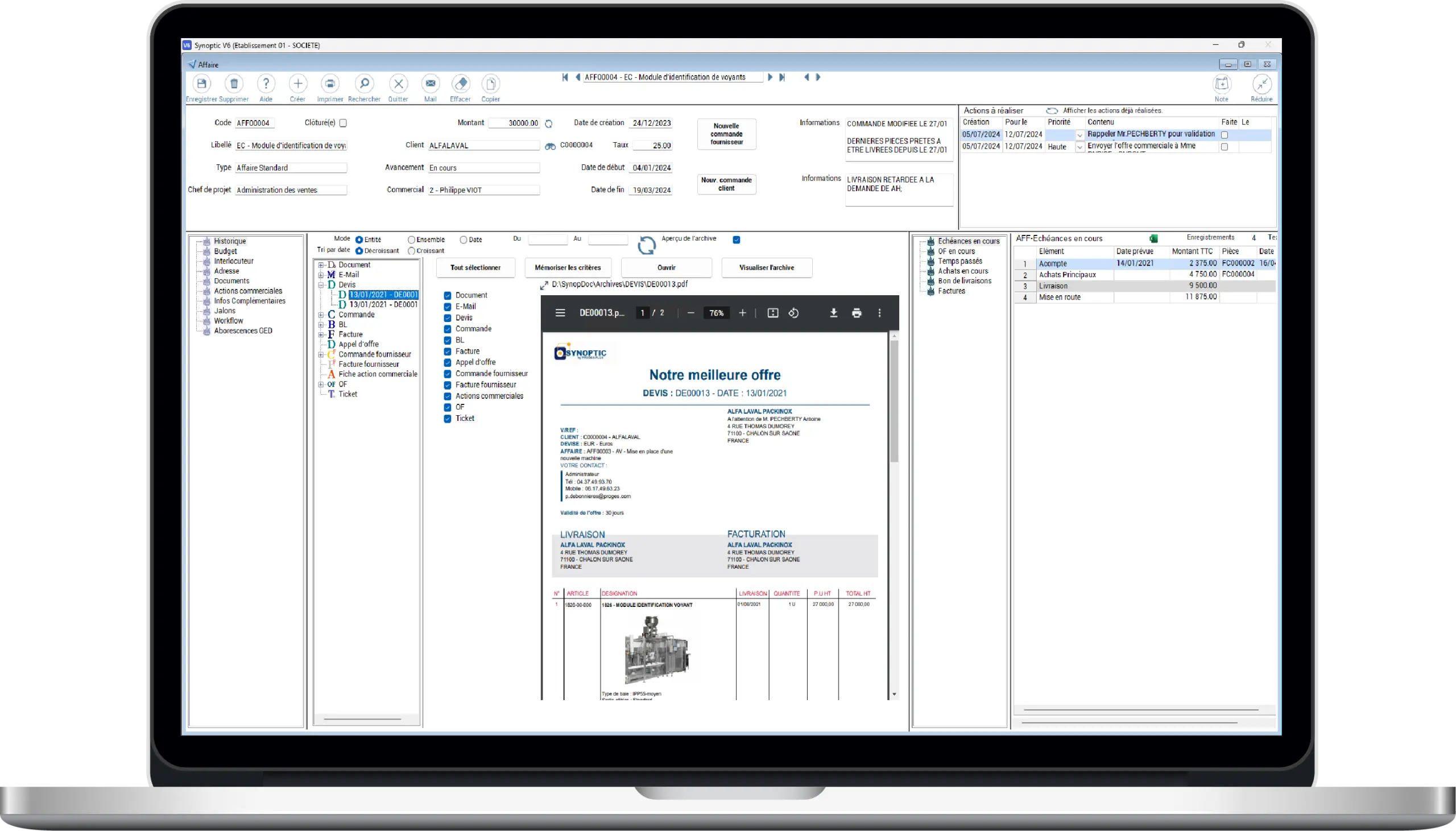
A project created with its target budget
Create the project by entering its contacts and addresses, then enter its budget grid: the sales budget is refined by the project manager to create the target budget.
- Sales budget and target budget
- Actual and committed budget, cost to completion
- Design time allocated to the project
An engineering department connected to the ERP
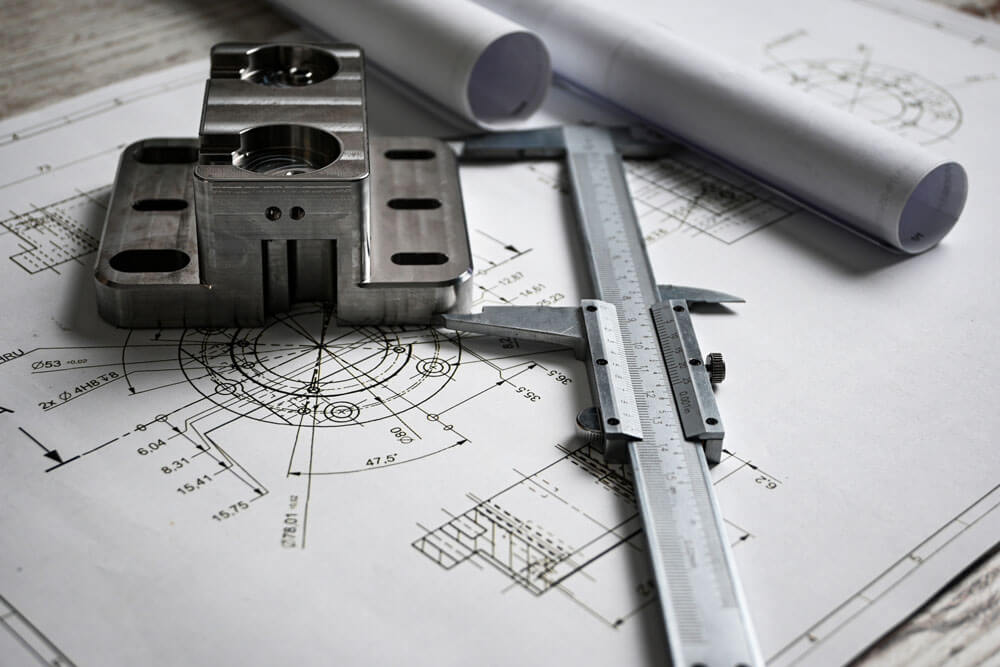
Easily pass on to your engineering department all the information coming from the sales teams, and make its work easier by connecting your ERP with CAD (integration possible with the SOLIDWORKS 3D CAD software).
- Bills of materials imported directly from your CAD
- Complex, large bills of materials: unlimited lines on several levels
- Changes propagated to manufacturing orders in progress
- Information passed on, or not, via the net requirements calculation
- Component obsolescence tracking
Efficient planning
Get an overall view of ongoing projects with the project schedule and the net requirements calculation. Plan or schedule all your manufacturing, organize subcontracting and track your manufacturing lead times as well as your supplier lead times.
- Planning routing defined in Synoptic
- Safety stock control
- Reservation of material batches
- Resource-based planning
- Confirmations sent to your customers
Reliable purchasing and inventory
Manage your calls for tenders and your supplier orders, receipts and invoices, and buy your raw materials based on stock levels. Both raw material and parts storage are tracked, with micro and macro visibility of current stock.
- Shortage analysis via the net requirements calculation
- Stock by location, by lot or by location/lot
- FIFO management
- Cycle, perpetual, retroactive and accounting inventories
Production tracked project by project
Create your manufacturing orders, ensure their launch and full tracking, and steer production from a screen adapted to the shop floor. Sales and production stay in constant communication, and the workflow handles internal actions.
- Work-in-progress tracking
- Time tracking and material allocation
- Manufacturing order reports and analysis of operator and machine times
- Automatic consumption of purchases allocated to projects
Margins and cash flow under control
Manage the project’s cut-offs: monthly, weekly, etc. Synoptic ERP calculates the remaining commitments, the cost to completion and the projected margin, and tracks progress against the target in the project review.
- Margin tracking for each project
- Project cash flow tracked through specific billing terms
- Configurable billable milestones
Organized delivery and installation
Organize and track your delivery: delivery addresses, products to deliver, time and resources. Then manage your installations by organizing your teams, checking your equipment and tracking time.
Responsive after-sales service, in continuity with the project
Manage your installed base, your maintenance contracts and their automatic invoicing. Open customer tickets, then create and invoice interventions, to keep your response times as short as possible.
Synoptic in action
From customer request to installation, a project tracked end to end
Synoptic ERP supports you throughout your work process, from customer request to delivery: time savings, flexibility, improved productivity and quality control. The tool is specifically designed for professionals working on a project basis.
Budget entry, customer request management, engineering department support, production and subcontracting planning, inventory and raw material purchasing, project management, then delivery and installation: Synoptic ERP supports you at each of these stages.
- Customer request and budgets
- Engineering and production
- Delivery and installation

Manage your project with the right ERP modules
- Sell: organize your sales teams and track your opportunities with the CRM
- Produce: organize your operations and manage your subcontracting
- Manage: transcribe your internal processes into the workflow and track them
- Centralize: drawings, photos and regulatory requirements linked to a customer, a contract or a project, in the electronic document management
- Analyze: with the MyReport BI solution, give every project stakeholder a personalized, concise view of key indicators
- Support your customers: maintenance contracts, automatic invoicing and ticket management
Take action
Ready for the next step?
Our experts are available to analyze your needs and show you the solution in a real-life setting.
Connect project-based management to your other Synoptic modules
Synoptic ERP modules are complementary: they work in full synergy with the project-based management features.
Commercial management
Organize your customer relationship, seize opportunities
Production management
Choose the production management suited to your SME
Inventory management, logistics
Control your stocks in real time and anticipate shortages
Documents to download
Frequently asked questions about project-based management
What is project-based management?
It is the way of working of companies that manufacture customized, one-off or small-batch products: each project is followed from design to delivery. Its sales, purchases and manufacturing are allocated to its budget lines, which makes it possible to track its profitability in real time.
Which companies is the project-based management module for?
Engineering firms, industrial equipment manufacturers, special machine builders and providers of custom services, and more broadly small-batch manufacturers, whether their machines or products are intended for the automotive, aerospace, healthcare or electronics industries.
What is the difference between the sales budget and the target budget?
In the project’s budget grid, the sales budget is refined by the project manager to create the target budget. Synoptic ERP then tracks the actual and committed budget, and calculates the cost to completion.
Can you track a project’s profitability in real time?
Yes. You allocate your sales, purchases and manufacturing to the project’s budget lines. Synoptic ERP manages cut-offs (monthly, weekly, etc.), calculates the remaining commitments, the cost to completion and the projected margin, and tracks progress against the target in the project review.
Does Synoptic ERP integrate with the engineering department’s CAD?
Yes. The ERP connects with the engineering department: integration is possible with the SOLIDWORKS 3D CAD software, you import your bills of materials directly from CAD and changes are propagated to manufacturing orders in progress.
How does Synoptic ERP track a project’s cash flow?
Project cash flow tracking relies on the management of specific billing terms and on configurable billable milestones. The billing plan can be entered as soon as the quotation is converted into an order.
How is Synoptic ERP implemented?
A single contact, the project manager, follows you throughout the project. After a preliminary analysis (schedule, functional scope, hardware recommendations), implementation takes place in 5 stages: detailed review of processes, configuration, testing on the pilot application, training and deployment, then go-live and on-site support until stabilization.
Let’s talk about your project
Need an efficient project-based management module?
Our sales team is here to answer all your questions.
You can call us on
+33 3 20 64 63 63Our offices, close to your sites
- LilleHead office2 rue de la République, 59780 Willems
- Lyon7 allée du Crêt, 69890 La Tour Salvagny
- Nantes3 rue Claude Chappe, 44470 Carquefou
Contact us
Our team will get back to you as soon as possible. Tell us about your needs and an ERP expert will contact you.