
Synoriel HRIS
HRIS for manufacturing SMEs: digitize your HR processes in step with your ERP
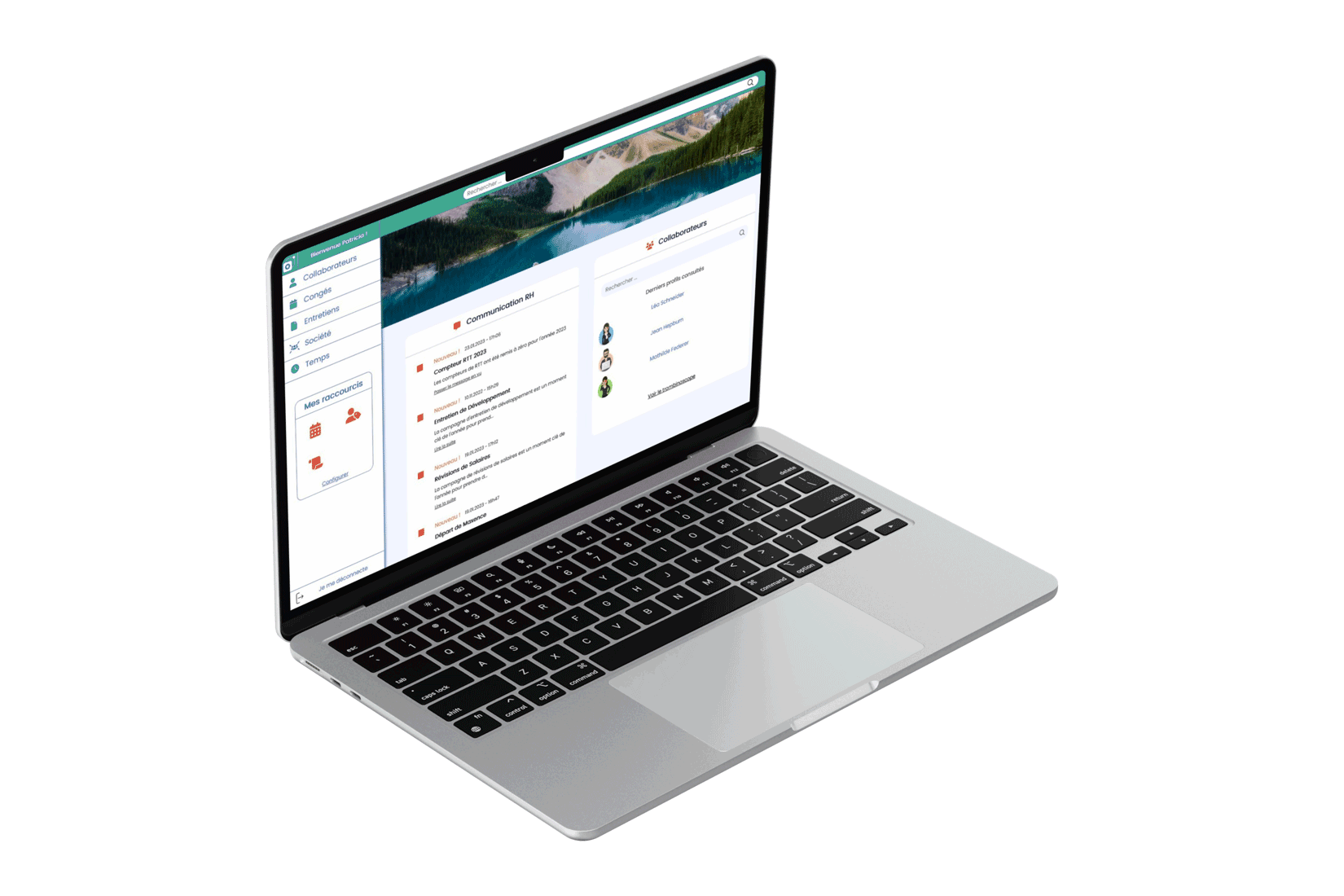
Synoriel is the HRIS developed by Proges Plus. Leave, time, reviews, compensation, expense reports, skills and training: it works on its own or in synergy with Synoptic ERP and your payroll software, with no paper forms.
A single source of HR data for the whole company
We developed our own human resources management tool: Synoriel. It replaces your Word files (leave requests, professional reviews), your Excel files (employee list, medical check-up dates) and the other documents kept for administrative purposes.
Synoriel lets you manage your administrative processes securely: entry, approval, follow-up. Like all the modules we design, it fits into your information system at the pace that suits you: you choose what truly saves you time.
- Dedicated HR portal for employees
- Modular solution
- Interfaced with your payroll
- Computer, smartphone and tablet
- 40 yearssupporting industrial SMEs
- 200+industrial SMEs and mid-caps supported
- 3 officesLille, Lyon and Nantes
The modules of the Synoriel HRIS
Each module gives everyone the right screens: employees enter, managers approve, the HR department configures and monitors. You choose the modules you need.
- Personnel
- Leave and absences
- Time and activities
- Reviews
- Compensation
- Skills
- Training
- Expense reports
- Commitments
- HR indicators
Personnel management: an up-to-date employee register
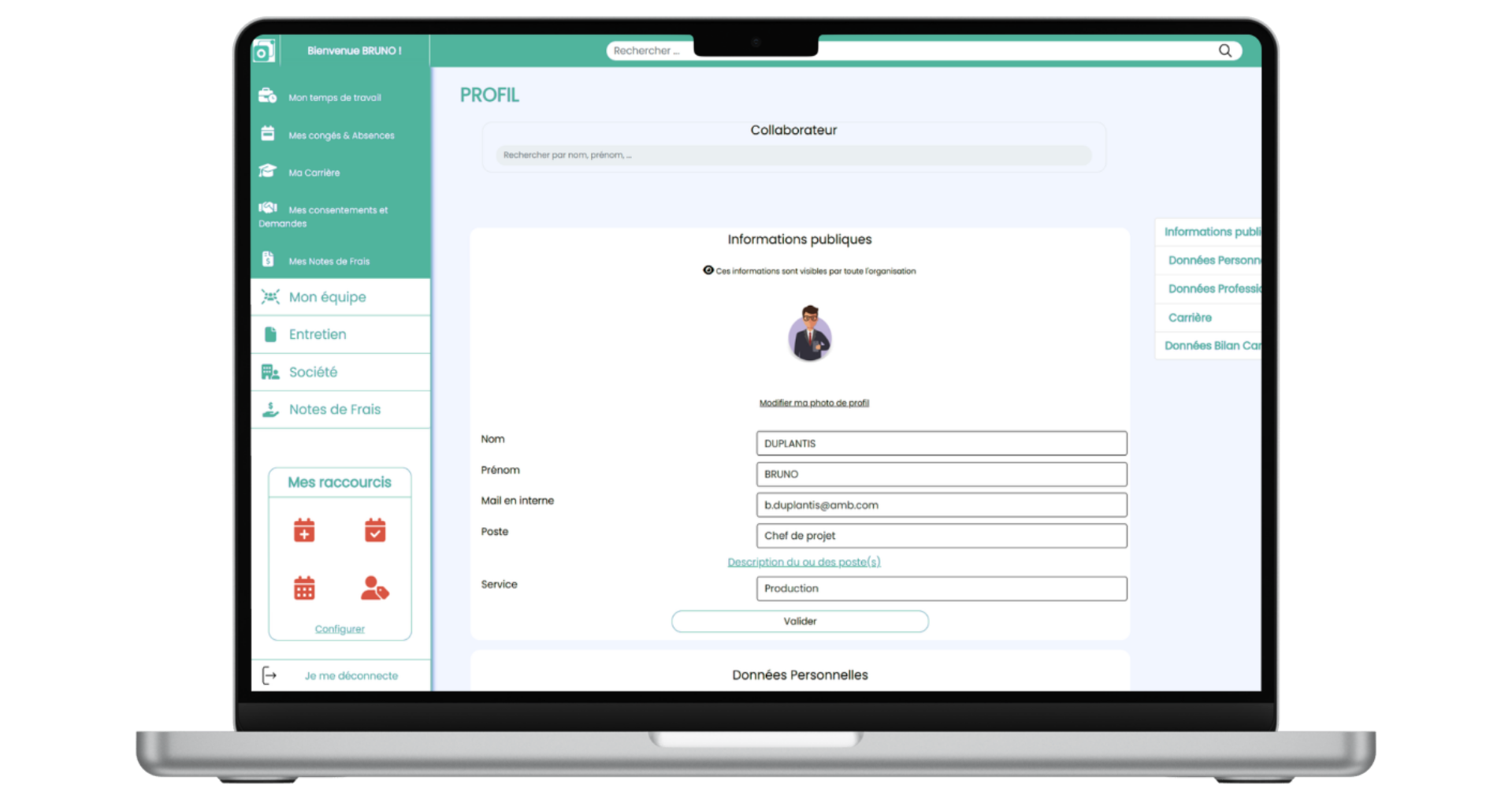
Each employee accesses their personal space and checks that their data is accurate. They report changes in their situation (contact details, family status), which the HR department processes with no paper forms.
The HR portal brings together the home page and its tiles, HR communications, the organization chart, the directory and the staff photo directory, according to the visibility rights you define.
- Employee space fields enabled as you choose: public, personal, organizational, HR and analytical data
- Administrative documents shared in employees’ personal space
- Consent authorizations: image rights, internal regulations, remote work policy…
- Onboarding: dedicated forms for new hires
Leave and absences: requests approved in a few clicks
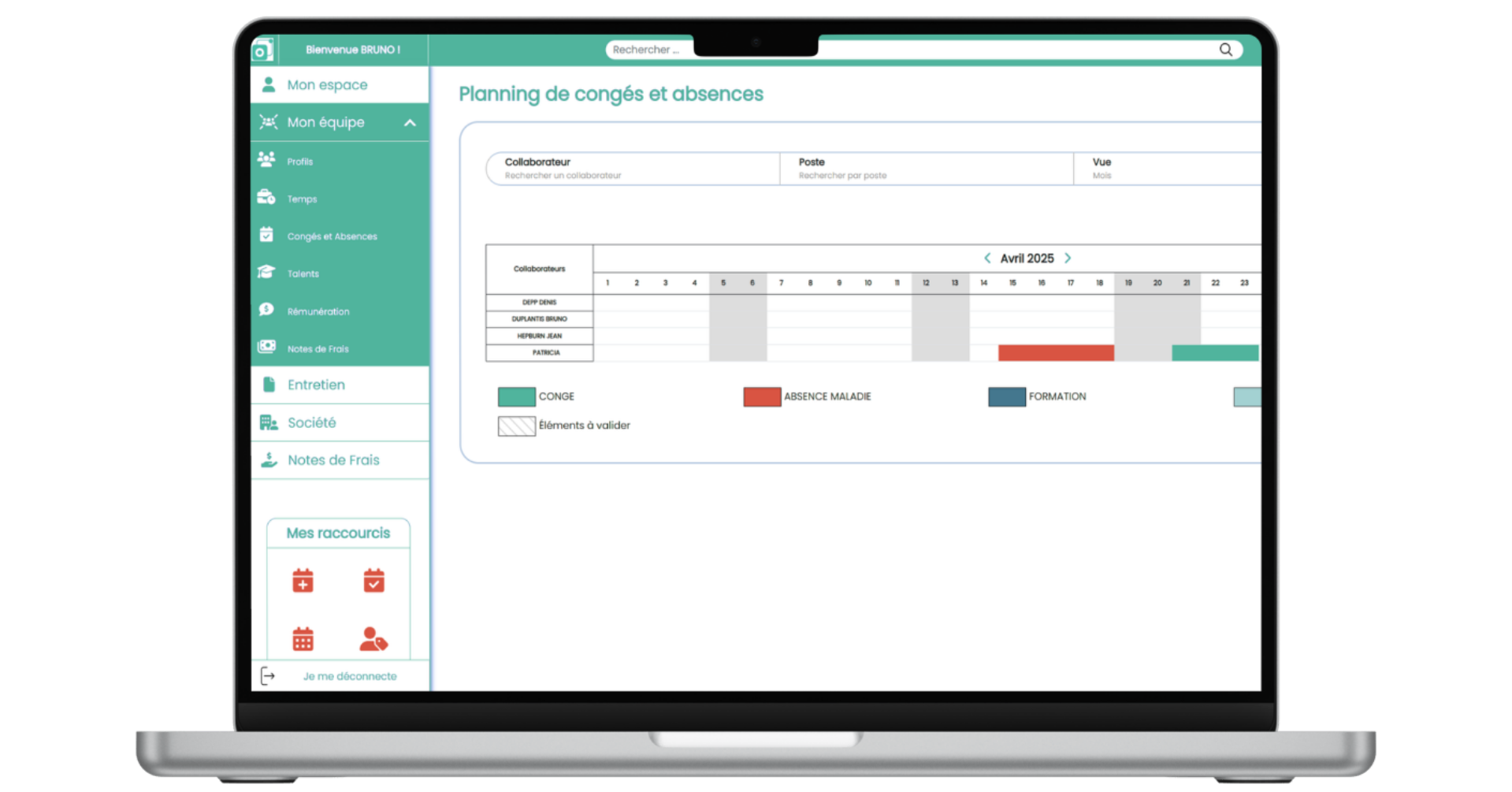
Employees submit their leave requests, report their absences and view their balances, pending requests and history. Managers are notified and approve; the approval workflow is specific to your organization and defined during the project.
The HR department configures leave (statutory leave, accounts, management rules, leave policy) and has a calendar view of employees’ leave and absences, with manual adjustment and data export.
Time and activities: your teams’ actual hours, with no paper forms
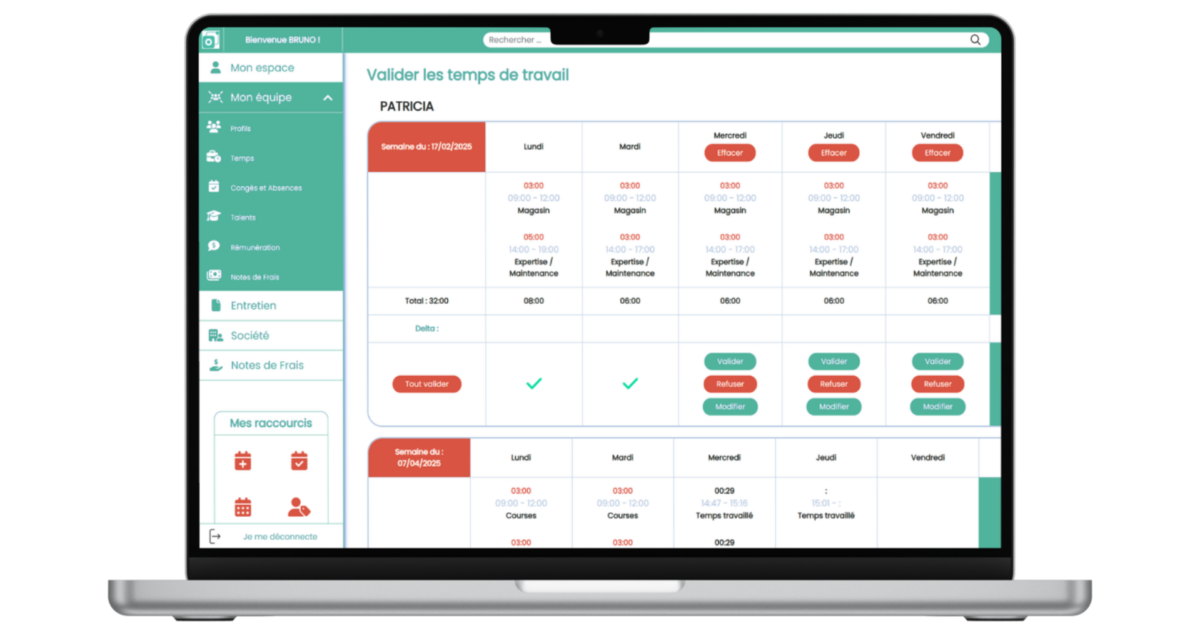
Employees report their hours worked and their activities by day, week or month, depending on their type of plan (hourly or daily), as actual time or declared time. Managers approve entries, monitor their teams’ actual hours and plan the forecast.
The HR department defines the settings: reporting mode, working hours, types of plan, activities, overtime management. Actual hours are calculated in line with legal rules and company agreements.
Reviews: campaigns tracked from start to finish
Recurring reviews (professional, annual) or one-off reviews (return from leave, second half of career): the HR department defines the templates and launches the campaigns, the employee and the manager prepare the review, hold it and sign the summary form.
- Custom templates: sections, questions, answers as free text, drop-down list, date or table
- Merging of review preparations
- Campaign tracking by phase: preparation, in progress, awaiting signature, completed
- Review history and data export (training, career development)
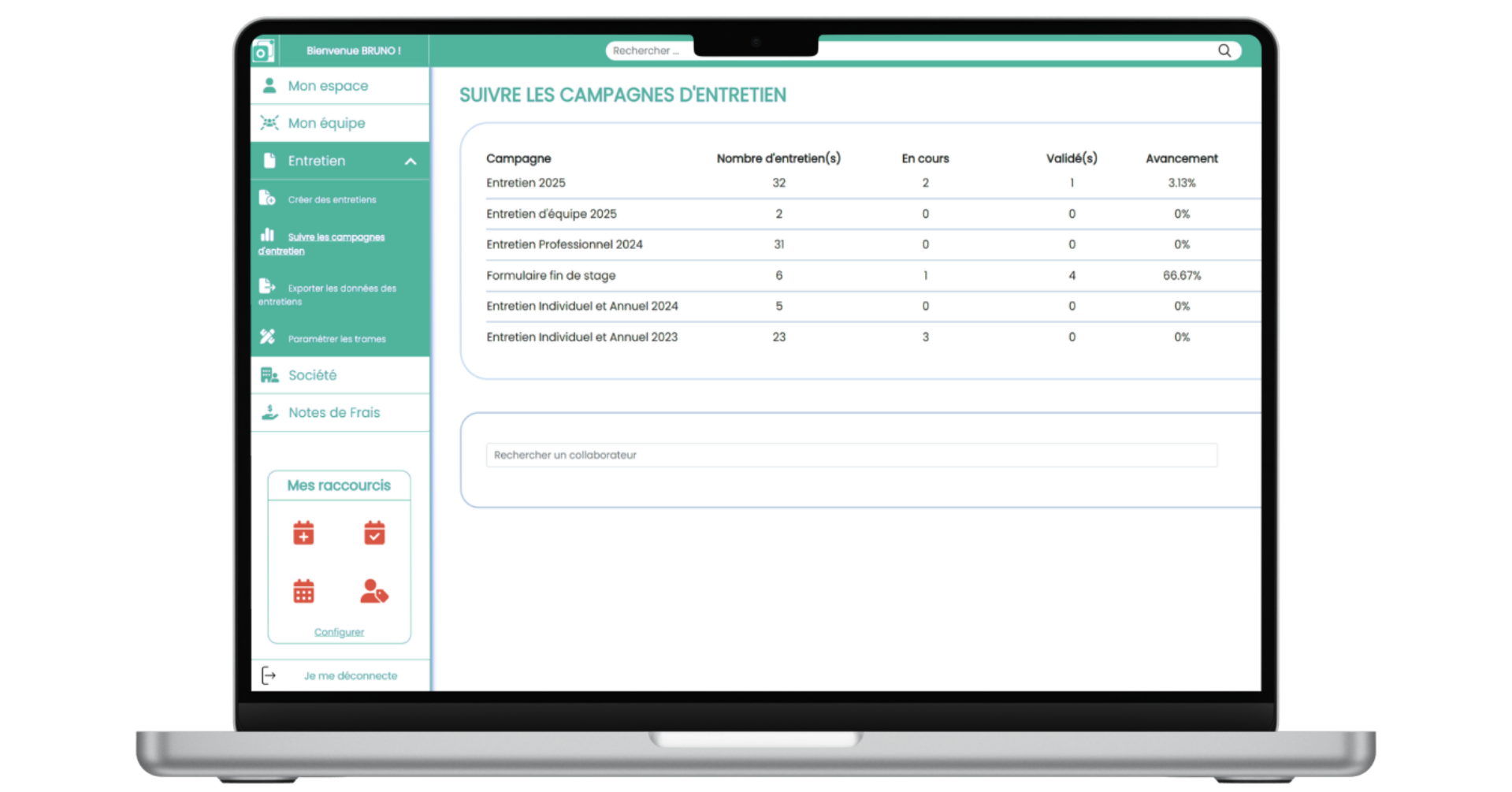
Compensation: raises and bonuses within budget
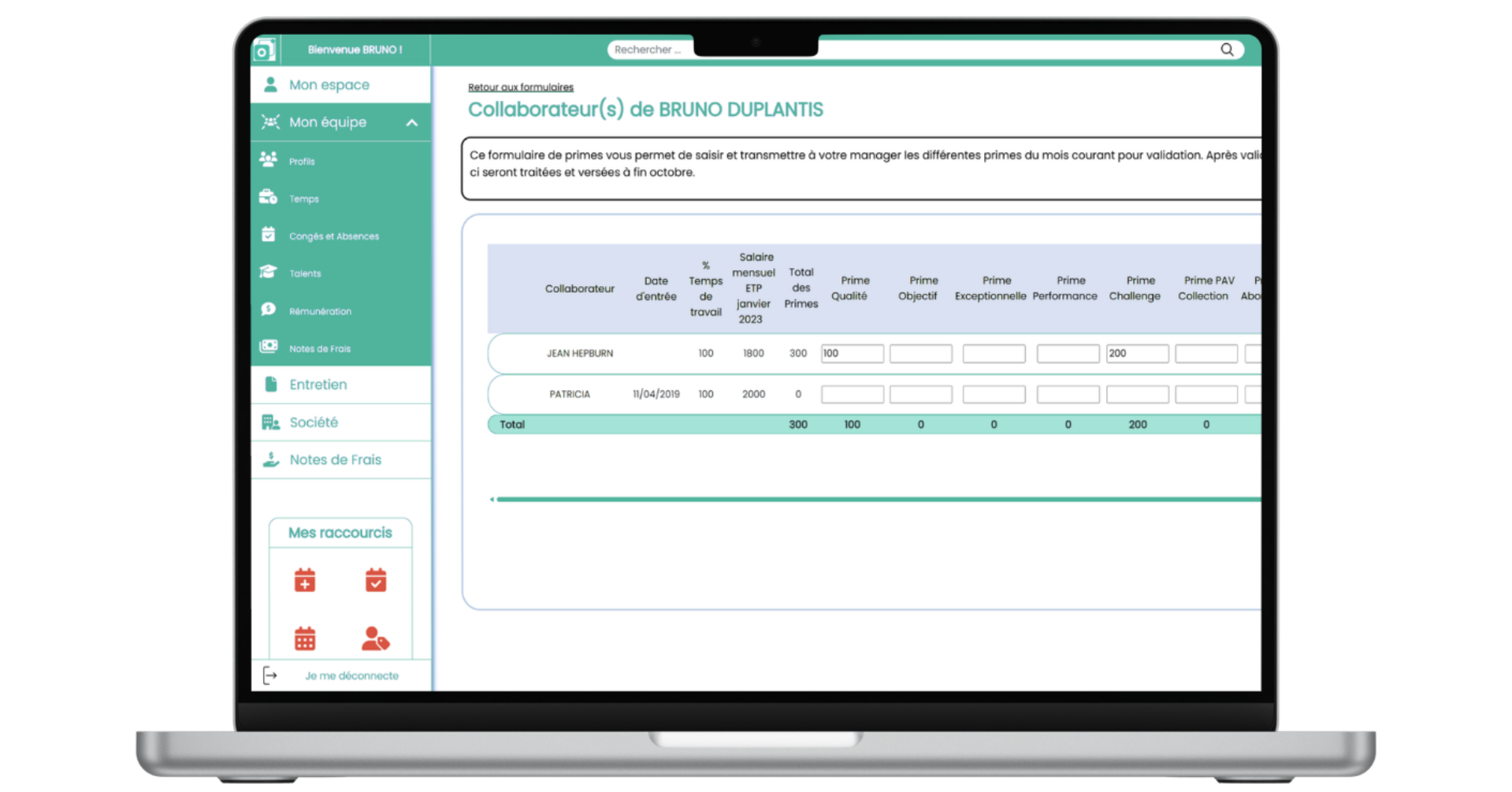
During salary review or bonus payment campaigns, managers view their employees’ compensation history (base salary, bonuses), propose raises in line with a predefined budget and enter monthly bonuses based on the objectives achieved.
Approvers (N+1, management) have an overview of their scope and make sure the overall budget is respected; the HR department implements the approved proposals.
Jobs and skills
Employees access the company’s job descriptions and the skills required for each position. Depending on the configuration, they propose changes to their skills or job description, which are reviewed and approved by managers and the HR department.
The HR department builds the skills and position libraries, and adapts training plans to changes in the trades.
Training
The HR department defines the training offer (title, type, duration, prerequisites). Employees view it, register and track the status of their registrations, subject to approval by their manager and the HR department.
You get a consolidated view of training, each employee’s history and data export.
Expense reports
Employees enter their expenses, attach their receipts and track the status of their reimbursement requests. Managers and the HR department approve them, according to the thresholds you have defined.
Expenses are consolidated by project and by accounting allocation: with Synoptic ERP’s manufacturing management, you link your expense reports to your projects.
Commitments and initiatives
Employees propose internal initiatives and take part in their colleagues’ initiatives. They also access the benefits defined by the company: reimbursement of the sustainable mobility allowance, days donated to charity projects…
A module that supports your CSR approach and quality of life at work.
HR analytics and BI
The HR department defines the indicators available to each user: review campaign tracking, gender breakdown, breakdown by site and department… Managers view and export the indicators for their scope.
Combined with the MyReport Business Intelligence solution, Synoriel also lets you model your HR data.

Designed for the realities of manufacturing
- Many profiles to manage precisely: operators, technicians, managers, temporary workers, work-study students
- 3-shift or 5-shift organizations: work cycles, time clocking, on-call duty, flexible working hours
- Tracking of regulatory and safety training: certifications, authorizations, mandatory training
- Teams spread across several sites or workshops, managed centrally
- Content adapted to your business, such as PPE management or dedicated certification fields
Synoriel and Synoptic ERP
Your HR data working for your workload plan
By using Synoriel’s Leave and absences and Time and activities modules with Synoptic ERP’s production management, you link your employees to your workload plan.
Synoriel communicates natively with Synoptic ERP: production data sync and payroll variables fed into Sage or SILAE.
- Leave and time reported in Synoriel
- Link with Synoptic ERP
- Production workload plan
A solution open to your information system
- Interfaced with the payroll and accounting software on the market: Sage, Cegid, ADP, SAP, SILAE…
- Also connected to everyday services, such as Outlook
- Used on its own or in synergy with the Synoptic ERP modules
- Available on computer, smartphone and tablet
Step-by-step support
- A dedicated HR consultant, your single point of contact throughout the project
- From choosing the modules to installation and training your teams, at your own pace
- Synoriel adapted to the way you work if you have specific HR needs
- A dedicated maintenance service that handles your support requests
We chose Proges Plus because they offered us a genuine co-construction approach, which matched our expectations for this first digitalization experience! The advantage with Synoriel is that we can move forward at our own pace and according to our availability.
Take action
Ready to take the next step?
Our experts are available to analyze your needs and show you the solution in a real-life setting.
Connect Synoriel to your Synoptic modules
Synoriel works in synergy with all the Synoptic ERP modules and with your Sage accounting.
Manufacturing management
Link your expense reports to your projects, from quote to maintenance contract
Production management
Link your employees to your workload plan
Business Intelligence (BI)
Model your HR data with the MyReport Business Intelligence solution
Downloads
- PDF document (in French)Synoriel HRIS overview 2026Download
Frequently asked questions about the Synoriel HRIS
What is an HRIS?
An HRIS brings together the digital tools that manage all HR processes: employee records, payroll, leave and absences, expense reports, recruitment, training and performance reviews. It centralizes HR data and automates repetitive administrative tasks. Synoptic connects to Synoriel, the Proges Plus group’s HRIS, for complete HR management linked to the production ERP (Glossary).
What are the benefits of an HRIS for a manufacturing SME?
An HRIS structures HR management, saves time on administrative tasks and makes data more reliable. For a manufacturing SME, it helps manage teams better, anticipate absences and skills needs, and meet regulatory obligations (training, reviews).
What is a modular HRIS?
A modular HRIS lets you choose only the features you need: leave, reviews, time, compensation… Each module works independently while being integrated with the others: you start with the essentials and expand the solution as your needs evolve.
Can Synoriel interface with our ERP or payroll software?
Yes. Synoriel is interfaced with the payroll and accounting software on the market (Sage, Cegid, ADP, SAP, SILAE…) and with services such as Outlook. With Synoptic ERP, it syncs production data and feeds payroll variables into Sage or SILAE, which reduces re-entry.
How long does it take to deploy Synoriel?
From a few weeks to a few months, depending on the size of the company and the modules chosen. A dedicated HR consultant supports you at every stage: choice of modules, configuration, installation and training of your teams.
Can we try Synoriel?
Yes: contact us to schedule a personalized demo and discover the features suited to your needs.
Let’s talk about your project
An HRIS project?
Further information, a demo, an on-site meeting: our team answers all your questions about Synoriel.
You can call us on
+33 3 20 64 63 63Our offices, close to your sites
- LilleHead office2 rue de la République, 59780 Willems
- Lyon7 allée du Crêt, 69890 La Tour Salvagny
- Nantes3 rue Claude Chappe, 44470 Carquefou
Contact us
Our team will get back to you as soon as possible. Tell us about your needs and an ERP expert will contact you.